Callnovo

iot & smart devices

Customer Service Outsourcing for IoT and Smart Device Brands

Support device setup, connectivity questions and firmware enquiries with AI and multilingual specialists. Give each conversation the product context needed for troubleshooting and a clear route to your device team.

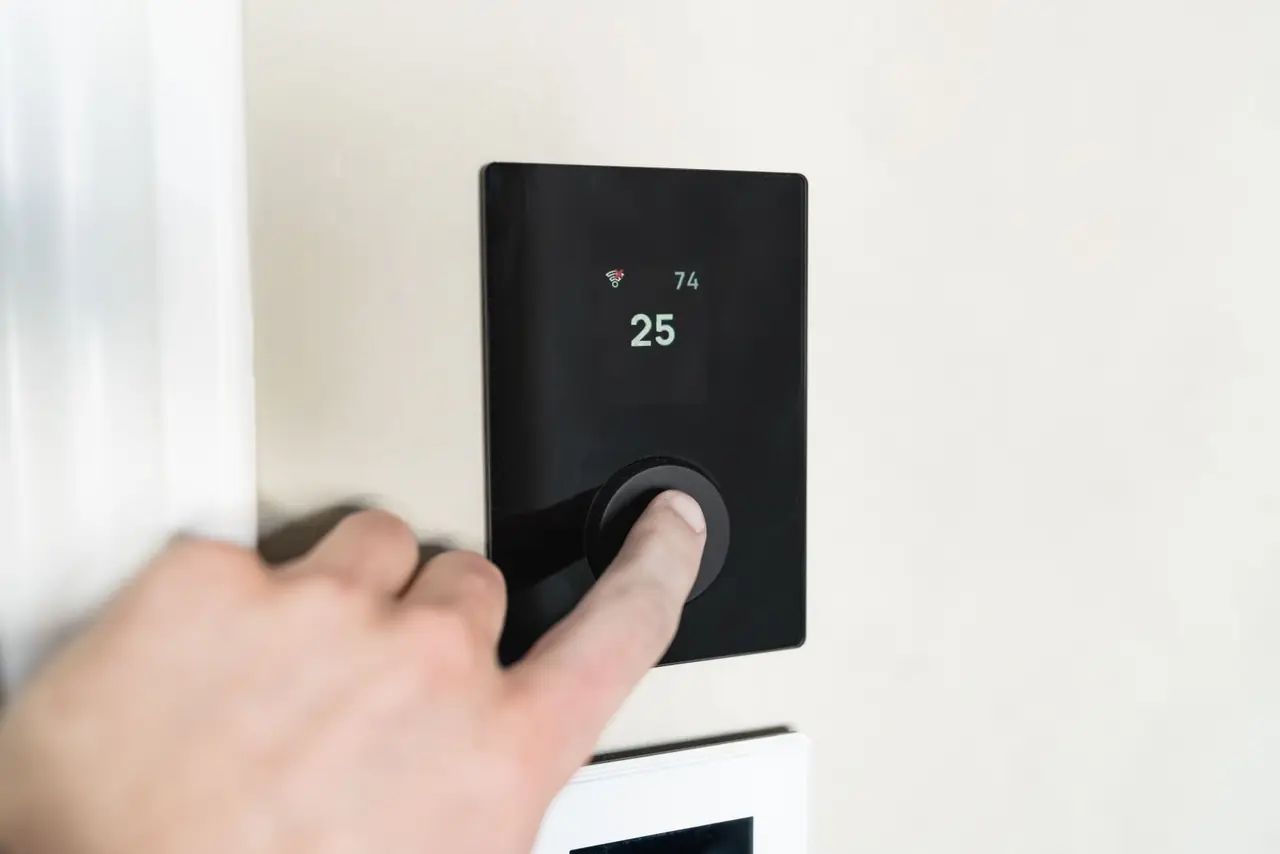
Close-up of a hand adjusting a sleek, modern smart thermostat on a wall.

how it plays out

Device setup, connectivity and escalation

Phone Spanish

"My smart thermostat won't connect to my Wi-Fi anymore"

Connectivity loss after router change

  1. AI guides customer through network diagnostics in Spanish
  2. Identifies device is still bound to old SSID after router replacement
  3. Walks through Wi-Fi reconfiguration using the companion app
  4. Confirms connection restored and sets up automatic reconnection
Resolved automatically Device back online
Live Chat German

"The firmware update bricked my smart lock and I'm locked out"

Critical firmware failure on access device

  1. AI escalates immediately due to safety-critical nature of smart lock failure
  2. Specialist guides customer through manual override using physical backup key
  3. Initiates remote firmware rollback via device management console
  4. Confirms lock functional and schedules firmware re-apply during low-traffic window
Access restored Safety-critical issue resolved
Email Japanese

"Our fleet of connected sensors is reporting inconsistent readings"

Enterprise IoT data accuracy issue

  1. AI checks device fleet health dashboard and identifies affected sensor batch
  2. Finds calibration drift in sensors from a specific manufacturing lot
  3. Pushes over-the-air calibration update to all affected units
  4. Sends fleet health report and offers extended warranty for the batch
Fleet-wide fix deployed Sensor accuracy restored
WhatsApp Portuguese

"How do I set up automation routines between my smart lights and motion sensor?"

Automation configuration for smart home ecosystem

  1. AI identifies compatible devices in customer account and checks firmware versions
  2. Sends step-by-step guide in Portuguese for creating IFTTT-style routines
  3. Helps configure trigger conditions, timing schedules, and fallback behaviors
  4. Confirms automation running and shares tips for energy-saving schedules
Handled without escalation Smart home automated

the team behind it

Faces, not a queue.

Callnovo agentCallnovo agentCallnovo agentCallnovo agentCallnovo agent real members of the global team

IoT-Trained Specialists

  • Device provisioning, Wi-Fi configuration, and Bluetooth pairing across protocols
  • Firmware management, OTA updates, and rollback procedures for connected devices
  • Fleet monitoring, sensor calibration, and enterprise IoT platform support

65+ Languages

  • Human agents providing support in 65+ languages
  • Real-time AI translation for rare language pairs
  • Cultural context training for every market we serve

Follow-the-Sun Coverage

  • Operation centres in Canada, Bolivia, Nicaragua, the Philippines and China
  • Smooth handoff between time zones with shared context
  • Holiday and weekend coverage without overtime costs

the part nobody prices in

Keep the device history with the conversation

An app error needs a model, firmware version and description of what changed. In Callnovo.ai’s published smart coffee machine case, support was available inside the brand’s app, with device details beside the conversation. Agents used product instructions to explain the next step in everyday language. That account’s setup is a useful starting point for planning support for another device brand.

For your rollout, configure HeroDash fields for the model, serial number, app version and troubleshooting already attempted. Route a pairing question to the setup team and an unresolved firmware incident to the product team using those fields. Keep the approved procedure and the customer’s result in the ticket, so the next agent can continue from the last completed check. Device-console access and any firmware actions belong in the agreed implementation scope.

what comes off the call

The details behind a device support request

Use a short intake matched to your product range. Customers should enter passwords and pairing codes only through the product’s own secure process.

  • Product model and serial number
  • Companion app, phone operating system and firmware versions
  • Exact error message or a screenshot with personal details removed
  • Network or setup change immediately before the problem
  • Approved troubleshooting steps already tried and what happened
  • Contact language, follow-up channel and current product-team owner

For the wider service model, see technical support outsourcing.

questions

What buyers ask before they sign.

How much does it cost?

AI voice is US$0.15 per minute and web chat is US$0.15 per session. Live agents start at US$650 per month including 1,500 minutes — about US$0.43 per minute — or from US$5.80 per hour for a dedicated agent working only your account. The minimum engagement is half a seat, not a five-seat block.

How fast can you start answering our phones?

Five days is our normal window to staff a live account — that is five days to find and place an agent who fits your business, not five days of software setup. AI voice can go live sooner because there is no hiring step.

Do you answer in Spanish?

Yes, on the same number, with agents in our Bolivia and Nicaragua operation centres — native Spanish, not machine translation. English and Spanish share one queue, and we cover 60+ more languages if you need them.

Can I mix AI and live agents on one number?

That is the normal setup. You decide which call types go to AI and which reach a person, and you can change the split as your volume changes. Nothing about that decision is locked in at signup.

How should setup instructions vary between device models?

Match the model and software version before selecting a guide. Use the brand’s approved instructions, capture the result of each step, and send an unresolved case with that history to the product team. A procedure for one thermostat or lock should not become a universal reset script.

What should a firmware escalation include?

Include the device identifier, version before the update if known, the error shown, access impact and checks already attempted. Agree who can approve a rollback or replacement and who will tell the customer the result.

start

Plan support around your device range

Bring your product manuals, main setup failures, supported markets and escalation contacts. We will map the intake and the product-team handoff for your range.